Introducing the Notion integration: start from what your team already knows
Attach Notion pages to a change request and Kairo's AI works with them from day one. No migration needed. Here is how it works.
Your team’s knowledge isn’t all in your codebase. A lot of it lives in Notion: user research, decision logs, planning pages, meeting notes, and the reasoning behind past choices. Moving all of it into a new tool before getting any value is a job nobody wants. So it rarely happens, and that knowledge stays out of reach of the work it should inform.
With the Notion integration, you can start without migrating anything.
Attach the pages behind the work
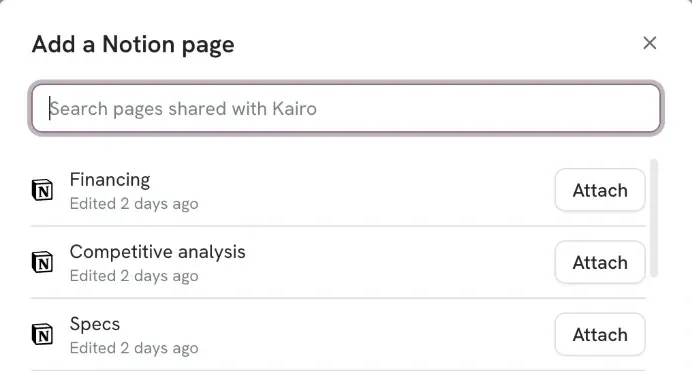
Once Notion is connected to a project, every change request in it has a Notion pages section. Open it to see your most recently edited pages, search for anything else, and attach the ones that shaped the work. Each page appears with its Notion title and icon and opens in Notion in one click. If it has child pages, they come along as a collapsible list of links.
Pages change, so references can too. Refresh one to pick up a new title, location, or child pages, or remove it when it no longer belongs on the change request.
Kairo’s AI reads them
Attaching a page gives Kairo a generated summary and key points for that page, so the AI knows what the attached context covers while it helps your team define the work.
When a question needs more detail, Kairo can retrieve the full page from Notion, as long as the page is still shared with Kairo and permissions allow it.
Say you’re reworking onboarding, with the decision log behind the current flow attached. Kairo can use the summary to surface the constraint that shaped that flow before a new requirement breaks it. And when the summary isn’t enough, it goes back to the Notion page for the detail.
The spec that comes out rests on the context your team has already captured, instead of starting from a blank prompt.
You choose what Kairo can see
Notion connects at the project level. When you connect it, Notion asks which pages to share with Kairo, and those are the only pages Kairo can search or read. You can share more at any time from Notion’s own Connections menu.
Start from what you know, build from here
What your team already knows feeds every new change request. What you decide from now on is defined, discussed, and planned in Kairo, next to your code and wired to your coding agents. Your product knowledge stops being scattered across tools and starts building up in one place, where the work happens.
Why it matters more with coding agents
When agents make implementation fast, the expensive part is deciding what to build. Your codebase explains how your product works. Your documentation captures why it works that way. Decisions are only as good as that context, and for most teams, much of it sits in Notion. Now it can shape every spec from the first day.
Get started
Connect Notion from your project integrations, share the pages Kairo should access, and start attaching them from any change request.